
The list of your community members is accessible in your organization space, in the Community menu. The list of members includes people who have applied to your events, or who have joined your community via a link shared by you or by organizations you support.
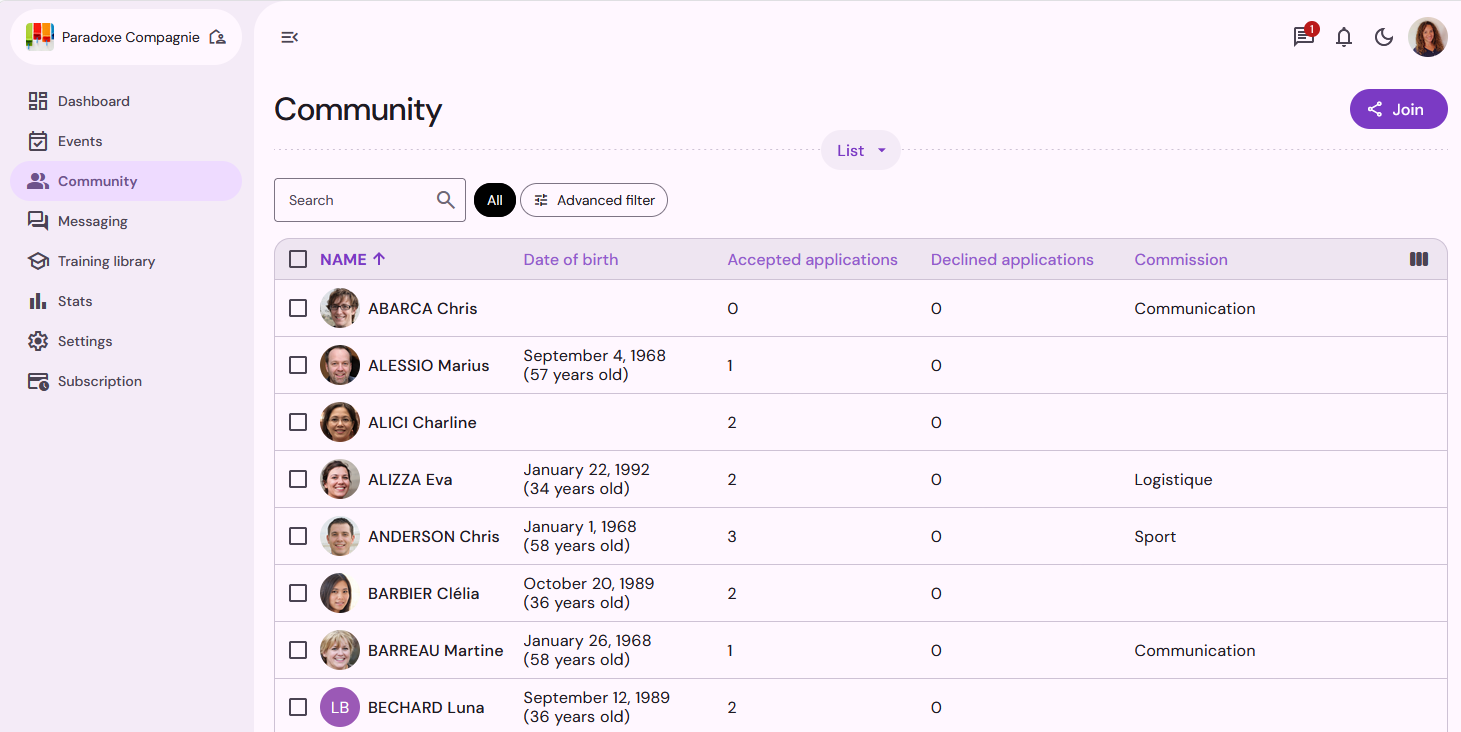
Click on the name of a member of your community to access their profile.
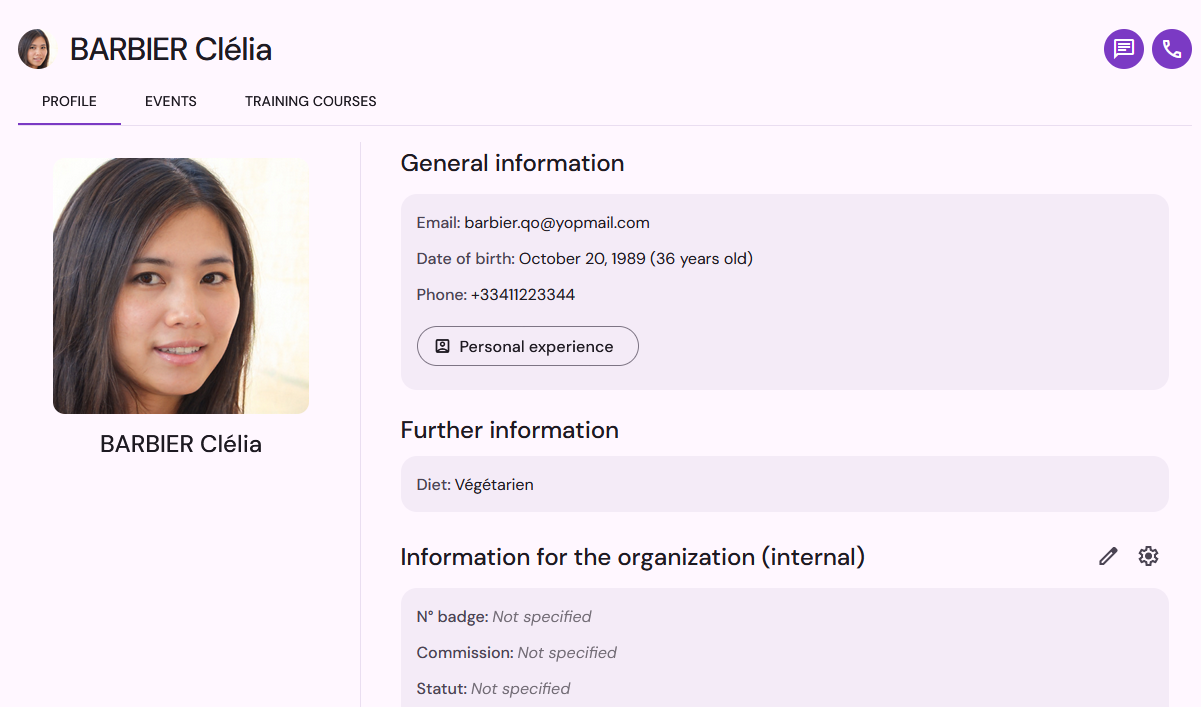
Organization information
In the section Information for the organization, you can enter internal organization information for each member: registration number, status, name of supplier, remarks, etc. This information can be consulted from the contact sheet in the events you organize, but only by your organization's users. Those with access rights to a specific event only cannot consult the organization's information fields.
To create a new organization field, go to Organization information settings (gear icon) in a community member's profile, then click on New information.

Specify the name of the information field and its type, with the different choices if it is a drop-down list.

To add or modify the information associated with a member of your community, click on Edit (pencil icon) and enter the relevant information.

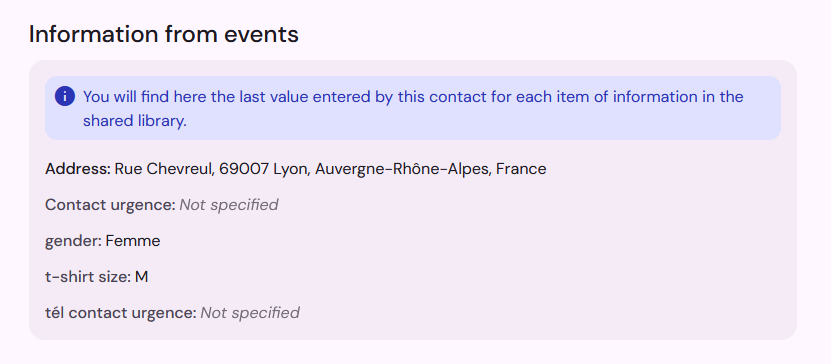
Information from events
In the section Informtion from events, you will find the last value entered by the teammate for the fields in your shared library. When the team member applies for new events using these fields in the registration form, the answers are pre-filled with this information.
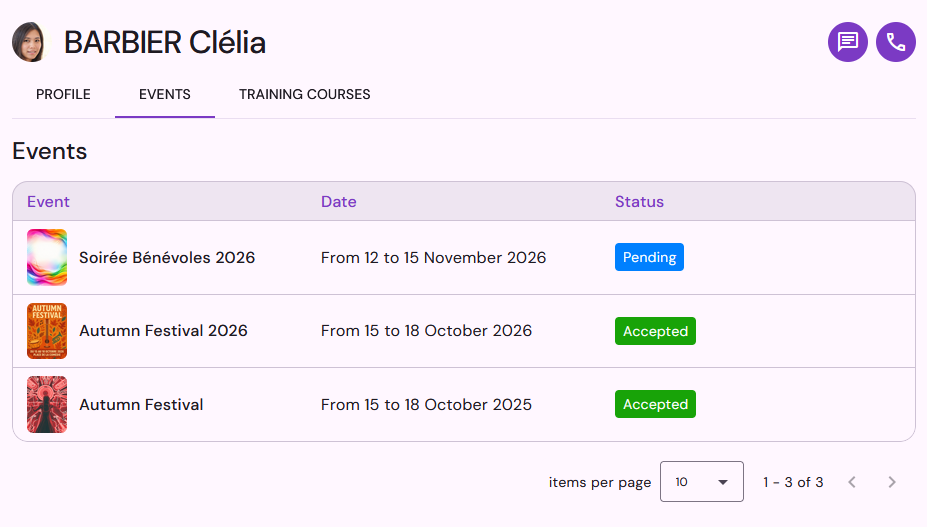
Events
The Events tab in a community member's profile lists all the events in your organization that the team member has applied for, including the event date and the status of the application.
Training courses
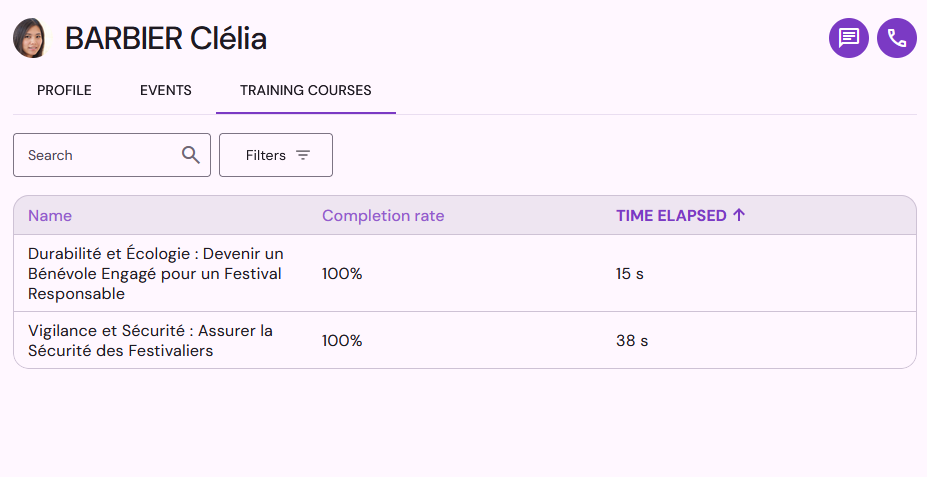
In the Training Courses tab, you will find a list of the training courses the team member has taken, including their completion rate and the time spent on each course.
Invitation to join the community
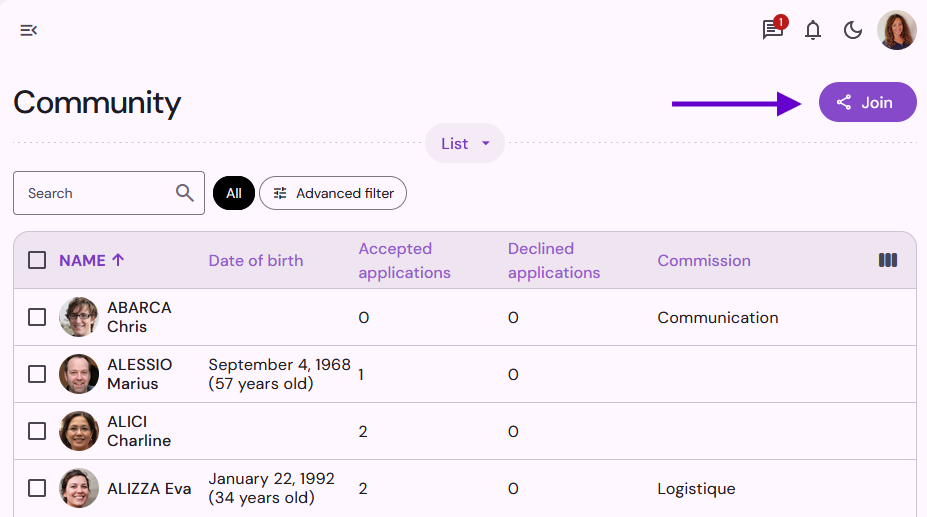
To invite new people to join your community on Qoezion, you can share an invitation link. Share this link on your website, social media or by email to easily expand your community!
To obtain the invitation link, go to your Organization space > Community and click on the button Join .
When you publish your events on Qoezion.com, anyone interested can also join your community via your organization's page.
Register community members for an event
From your community member list, you can manually add teammates to your events. This allows you to register your contacts directly for your events without using the registration form. To avoid any misunderstandings or last-minute cancellations, we recommend communicating clearly with the volunteers involved and ensuring you have their consent before registering them. An email notification is also sent to the contacts to inform them of the registration.
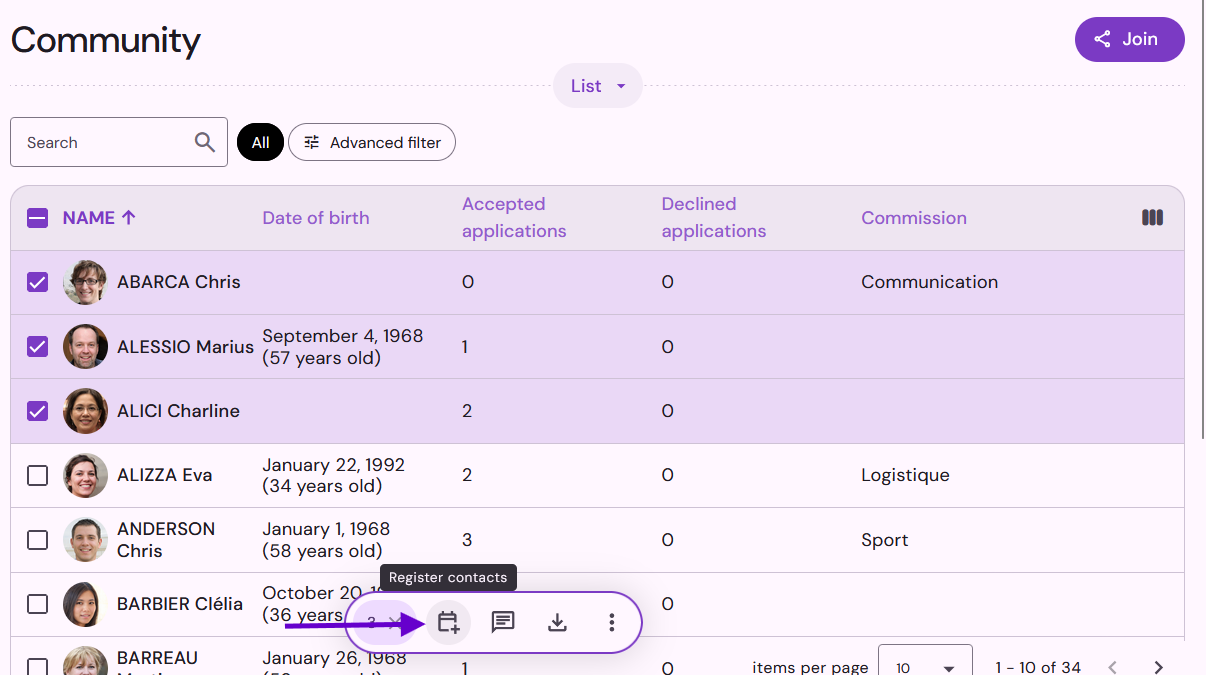
To register community members for a new event, select the desired contacts from the list and click the Register Contacts icon.
Specify the event for which the contacts will be registered, as well as the status of their application: accepted, on the waiting list, or pending.
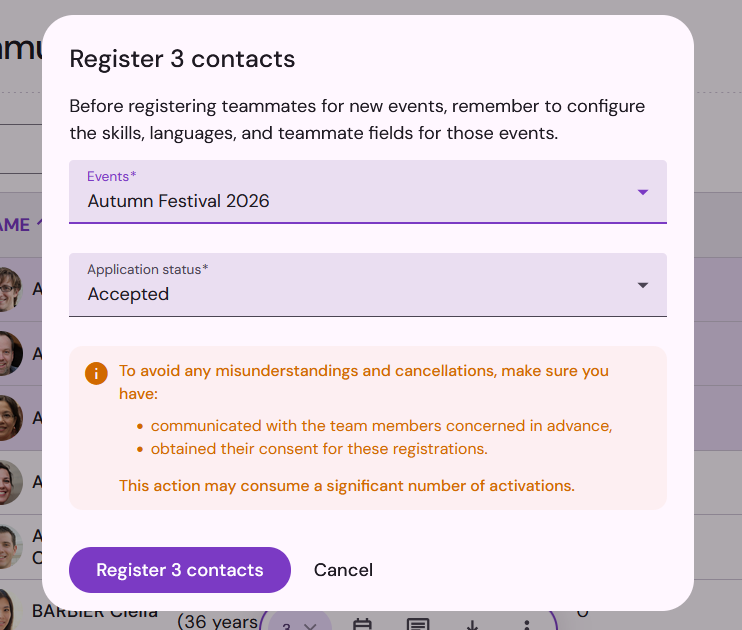
Contacts are registered for the event without going through the registration form, but information such as languages, skills, and fields from your shared library will be included in the volunteers’ contact sheets. If needed, you can use additional forms to request further information from the volunteers you have registered.