
Qoezion’s Training module allows you to create customized learning content (procedures, safety guidelines, role descriptions, etc.), share it with your teammates, and track their progress in real time.
To save you time, training courses are centralized within your organization. You create them once in your catalog, and you can then deploy them across your various events.
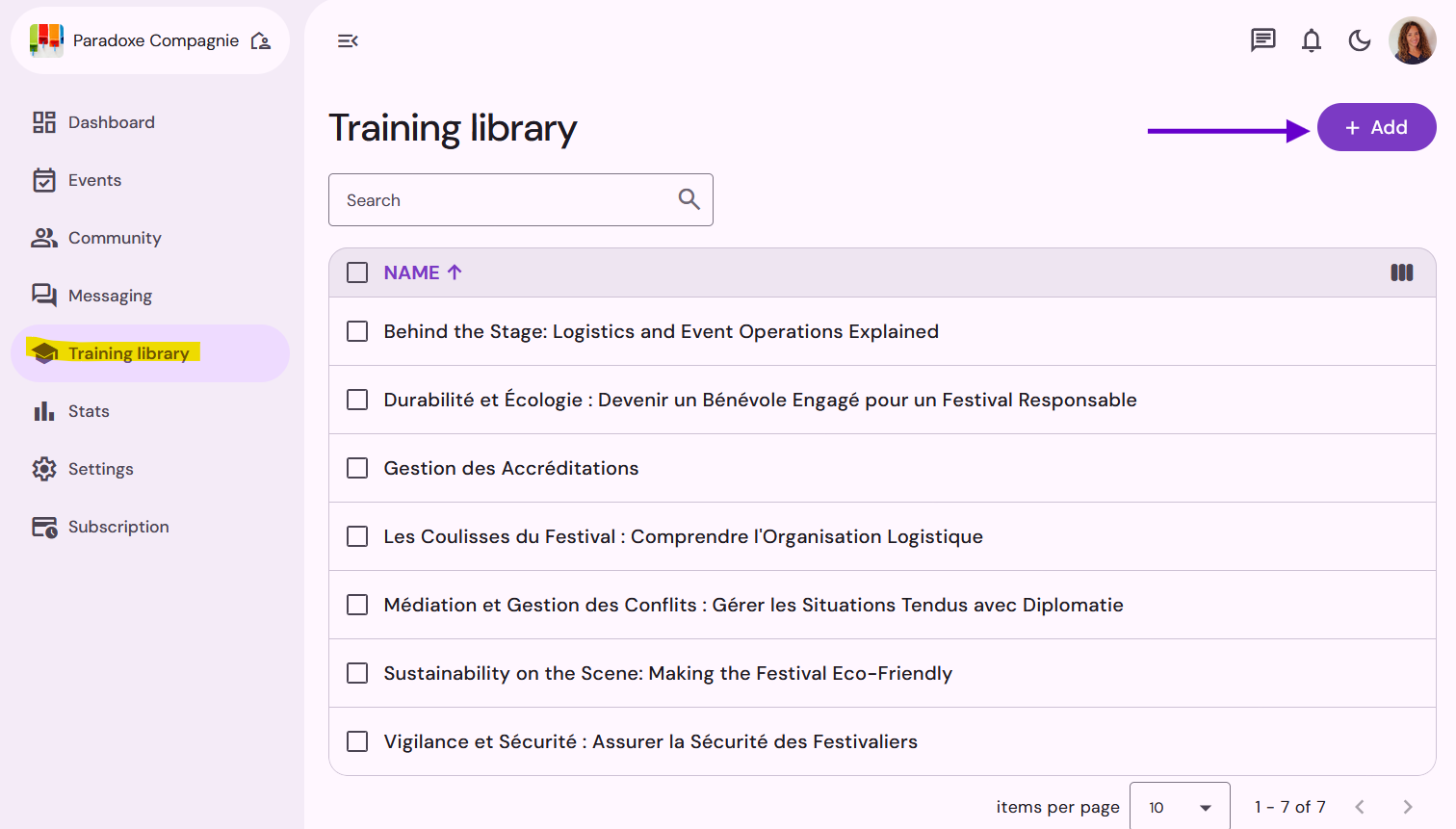
Go to your Organization space > Training library.
Click the Add button and enter the title of the training course.
Use the content editor to design your training course. You can include:
Text and images
Videos and downloadable documents
Quizzes to make the course interactive and help teammates test their knowledge.
Once your content is ready, change its status from “Draft” to “Validated”.
Important : A training course must have the “Validated” status in order to be shared in your events.
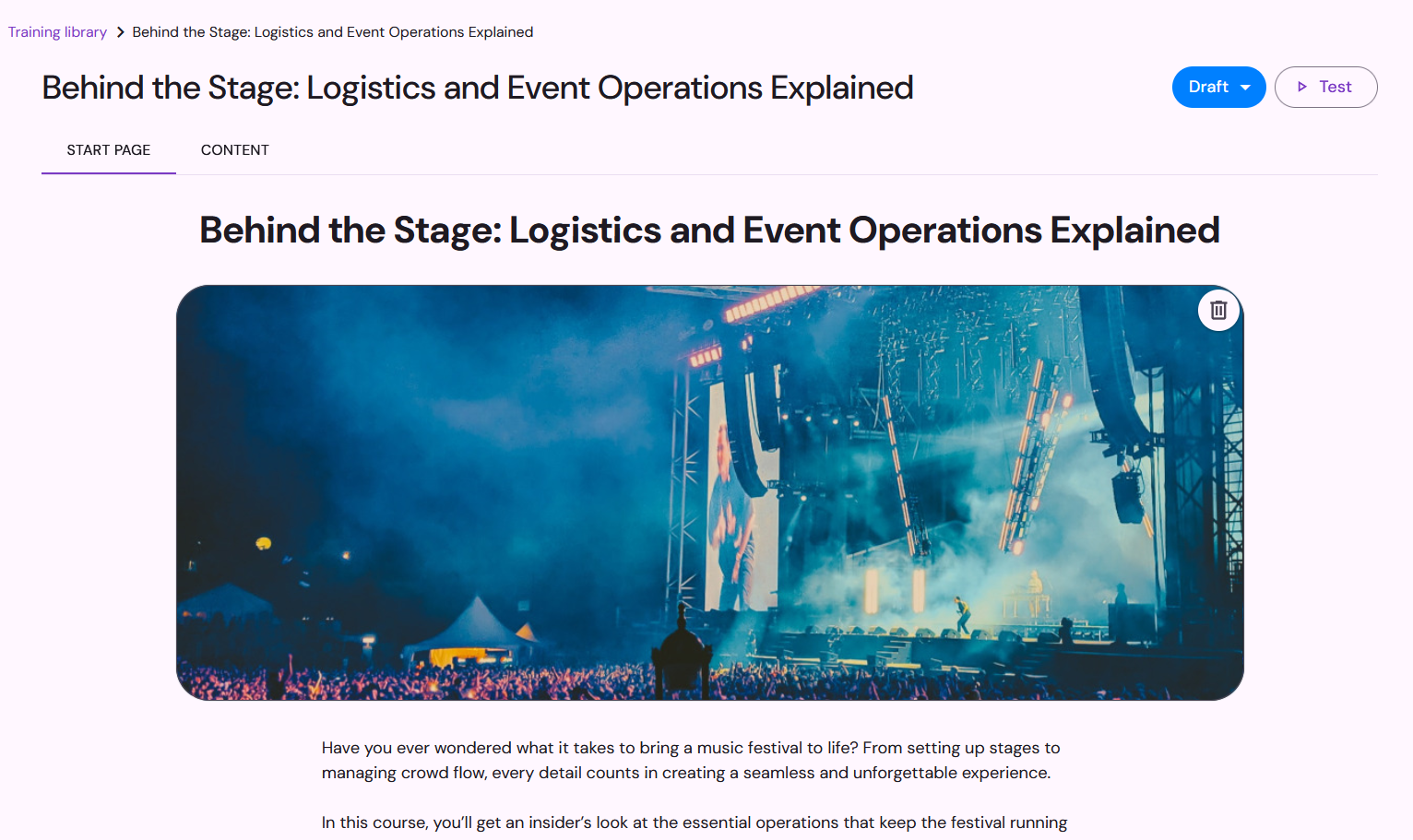
Start page
On the Start Page, you can add an image and a description of the training course.
Training course content
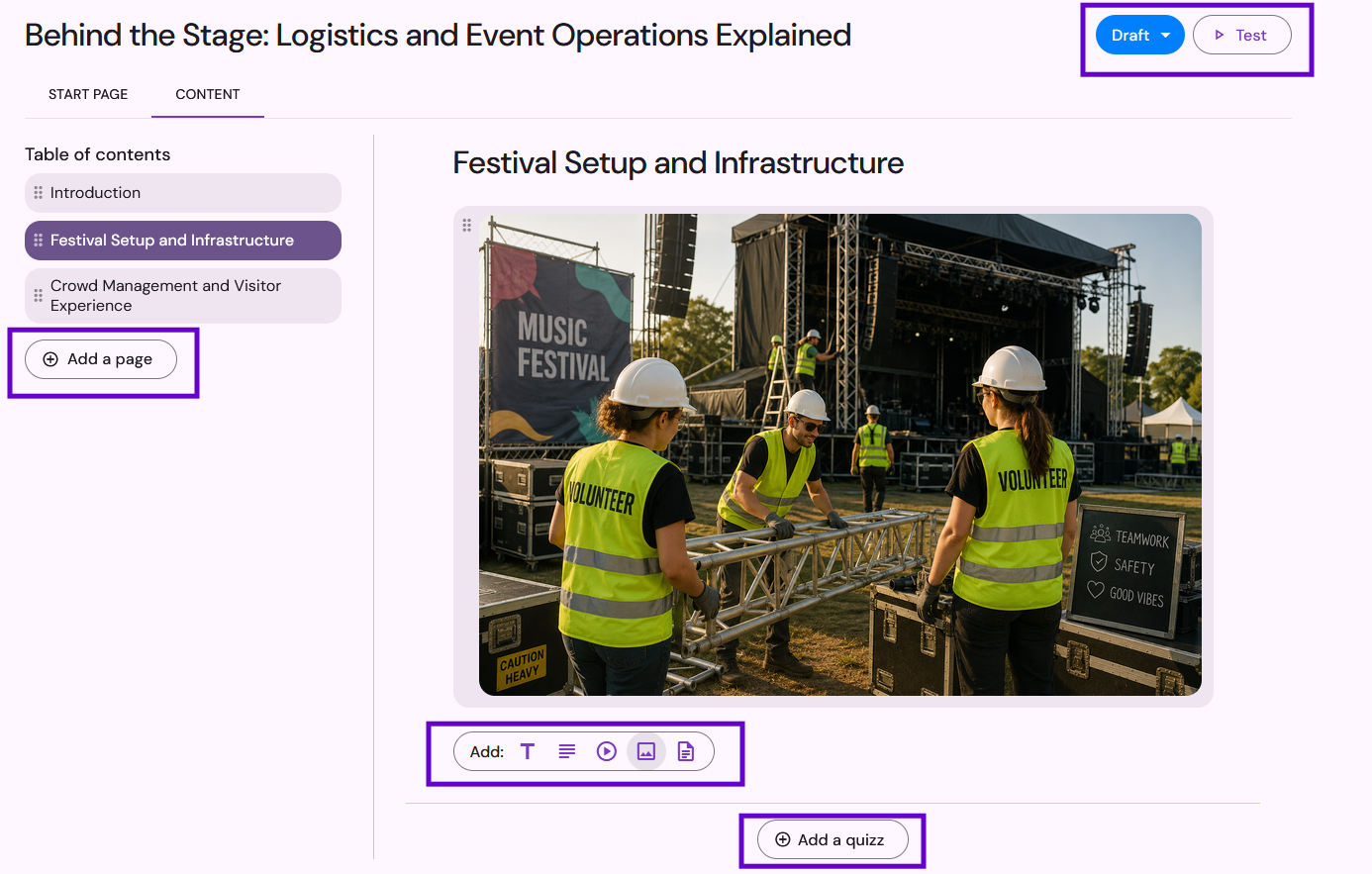
Add pages to your training course to cover different topics. You can include:
Text and images
Videos and downloadable documents
Quizzes to make the course more engaging and help teammates test their knowledge.
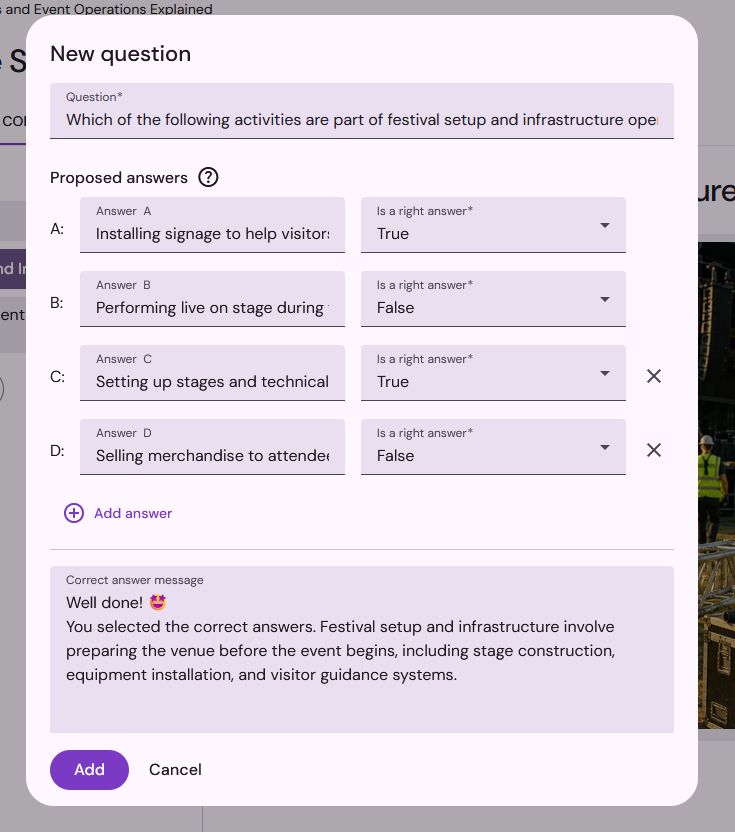
💡 About the quizzes: They serve as a self-assessment and do not block volunteers from continuing; they can continue the training even if they don’t get the answer right. Answers are not saved: the organizer cannot view them; the purpose is purely educational for the volunteer.
You can test your training course to get a preview of exactly what volunteers will see in their personal space. Once your content is ready, change the training course’s status from “Draft” to “Validated” so you can make it available in your events.